

A guide for decision-makers who are ready to move beyond “just another dashboard”
If you’re still measuring your Power BI investment by how many charts it produces, you’re benchmarking against the wrong thing. The conversation in the US market has moved on. Business leaders aren’t asking “can we see the data?” anymore — they’re asking “can the data tell us what to do next?”
That shift is being driven by AI, and it’s happening faster than most internal BI teams can keep up with. Below are the 10 capabilities that are separating forward-looking companies from everyone else still stuck refreshing static reports — and what each one actually means for your bottom line.
1. Conversational BI: Ask a Question, Get an Answer

Your team shouldn’t need a training session to find out why revenue dropped in California last month. They should be able to type — or say — the question and get an immediate, direct answer.
That’s exactly what’s happening with Copilot-enabled Power BI. Instead of clicking through filters and slicers, users ask natural-language questions and receive charts, insights, and root causes on the spot. Microsoft has built this behavior directly into Fabric, and it’s quickly becoming the default way people expect to interact with data — not a novelty feature.
Why it matters to you: every hour your team spends hunting through a dashboard is an hour not spent acting on what it finds.
2. AI-Generated Executive Summaries

No executive wants to interpret 15–20 charts before a 9am meeting. That’s not leadership’s job — it’s the analyst’s. Yet most dashboards still hand over a wall of visuals and leave the “so what” unwritten.
AI-generated narratives close that gap automatically, producing plain-language takeaways like “revenue increased 14% this quarter, primarily driven by healthcare clients; margins declined due to logistics costs.” This is fast becoming a standard expectation on executive-level reporting, especially in regulated industries like healthcare and finance, where consistent interpretation isn’t just convenient — it reduces compliance risk.
3. AI Agents That Act, Not Just Alert
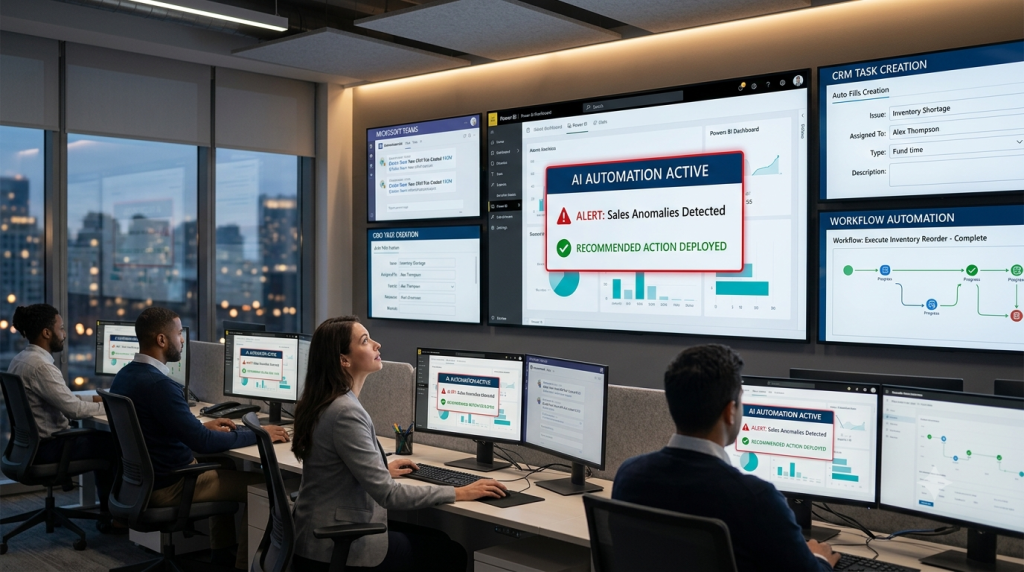
A dashboard that flags a problem still leaves all the work to your team. Someone has to notice it, dig into it, and decide what to do. That’s the exact gap AI agents are built to close.
When sales drop below target, an AI agent can investigate the cause, notify the right people in Teams, open a CRM follow-up task, and recommend a corrective action — without anyone lifting a finger to start the process. This is one of the fastest-moving areas in the US market right now, and Microsoft’s own roadmap is investing heavily in it.
4. Predictive Analytics: From “What Happened” to “What’s Next”

Historical reporting is table stakes. If your dashboards stop at last quarter’s numbers, you’re competing on price — not value.
US enterprises now expect their BI tools to forecast what’s coming: sales, demand, cash flow, churn, employee attrition, inventory needs. This spans retail, manufacturing, finance, and SaaS alike, and it’s no longer considered advanced — it’s expected.
5. AI-Powered Root Cause Analysis

Telling someone “revenue dropped” isn’t insight. It’s a headline. The real value is in the why — and until recently, finding that why meant hours of manual digging.
AI now surfaces the explanation directly: “Texas sales fell 18%, marketing spend decreased, customer retention dropped, two major accounts were lost.” That’s the difference between a dashboard that reports and one that actually explains.
6. AI Recommendations: Decision Support, Not Just Data Display

Saying “inventory is low” and stopping there puts the entire decision back on the client. Increasingly, that’s viewed as an incomplete deliverable.
The new standard goes further: “Reorder within 5 days, increase stock by 15%, shift inventory from Warehouse B.” That’s the shift from a reporting tool to a genuine decision-support system — and it’s a meaningful upsell opportunity once forecasting is already in place.
7. Real-Time AI Monitoring
A daily or weekly refresh is far too slow for fraud detection, equipment failure, or a supply chain disruption. By the time the report updates, the damage is already done.
Dashboards are becoming operational tools rather than reporting tools — used for manufacturing equipment monitoring, financial transaction monitoring, cybersecurity alerts, and supply chain disruption detection. With Microsoft Fabric, businesses can now analyze streaming data in near real time, which is a fundamentally different value proposition than a Monday-morning report.
8. Semantic Models + AI: The Foundation Nobody Sees (But Everyone Depends On)
Here’s the part that doesn’t make it into flashy demos but matters more than any of them: AI answers are only as good as the data model underneath them. Sell AI features on top of an undocumented, inconsistent model, and the AI will confidently give wrong answers.
Well-governed semantic models — with clear synonyms, friendly naming, and verified answers — are what make Copilot and every other AI feature actually trustworthy. Microsoft explicitly positions semantic models as the foundation of enterprise AI analytics, and it’s the first thing that should be right before anything else gets built on top.
9. Embedded AI Analytics
Every time someone has to leave their CRM, ERP, or core software platform just to log into a separate BI tool, adoption quietly drops. And clients are asking, reasonably, why analytics isn’t just inside the product they already use all day.
US software companies are increasingly embedding AI-powered Power BI dashboards directly into their own products — SaaS platforms, ERP systems, healthcare applications, HR platforms — turning analytics into part of the application experience rather than a separate destination.
10. Industry-Specific AI Dashboards
A generic dashboard template is easy to price-shop. An industry-specific solution is not.
Instead of one-size-fits-all AI dashboards, leading companies are building vertical solutions: patient risk prediction for healthcare, predictive maintenance for manufacturing, demand forecasting for retail, fraud detection for banking, route optimization for logistics. Industry-focused solutions consistently generate stronger demand — and command stronger pricing — than generic BI builds.
The Real Takeaway for Decision-Makers
None of these 10 shifts are experimental anymore. They’re quickly becoming the new standard for what businesses expect from a modern BI platform. The conversation has moved far beyond dashboards and static reports. Today’s business leaders don’t just want to know what happened—they want AI to explain why it happened, what will happen next, and what action they should take. That’s why the gap between organizations using AI-powered Power BI and those relying on traditional reporting continues to widen every quarter.
The good news is that you don’t have to implement all 10 capabilities at once. The most successful organizations build AI into Power BI step by step—starting with a governed semantic model, then introducing the AI capabilities that deliver the highest business impact for their industry and decision-makers.
This shift is also changing how companies evaluate technology partners. Instead of paying for hours worked or simply looking to hire a Power BI developer, businesses increasingly expect measurable outcomes and strategic problem-solving. It’s the same principle driving the rise of Forward Deployed Engineers (FDEs)—technical experts who work closely with customers to understand business challenges, deploy AI solutions rapidly, and deliver tangible business results rather than just technical implementations.
That’s exactly where SparkSupport comes in.
As a dedicated Power BI services provider, we help businesses move beyond dashboards to build AI-powered decision intelligence systems that generate actionable insights. Whether you need Conversational Analytics, AI Agent integration, predictive forecasting, or a fully governed semantic model, our team delivers solutions focused on business outcomes—not just implementation.
If you’re looking to hire a Power BI developer, consider partnering with a team that combines deep Power BI expertise with an outcome-first, AI-driven approach. Ready to see what AI-powered Power BI could look like for your organization?
Get in touch with SparkSupport for a free assessment of your current BI environment and discover the highest-impact next step in your AI transformation.